Contact support
In Cinemac, choose Help › Send Feedback…, type what happened and press Send. Or email us. A real person reads every message.
Before you write
Troubleshooting has fixes for the most common problems, and the search box at the top finds the rest.
Send feedback from Cinemac
The quickest way to tell us something is Help › Send Feedback… (also in the menu-bar menu, the speech bubble at the top of Projects, and ⌘K › Send Feedback). Type what happened or what you'd like, and press Send. It goes straight to the people who make Cinemac.
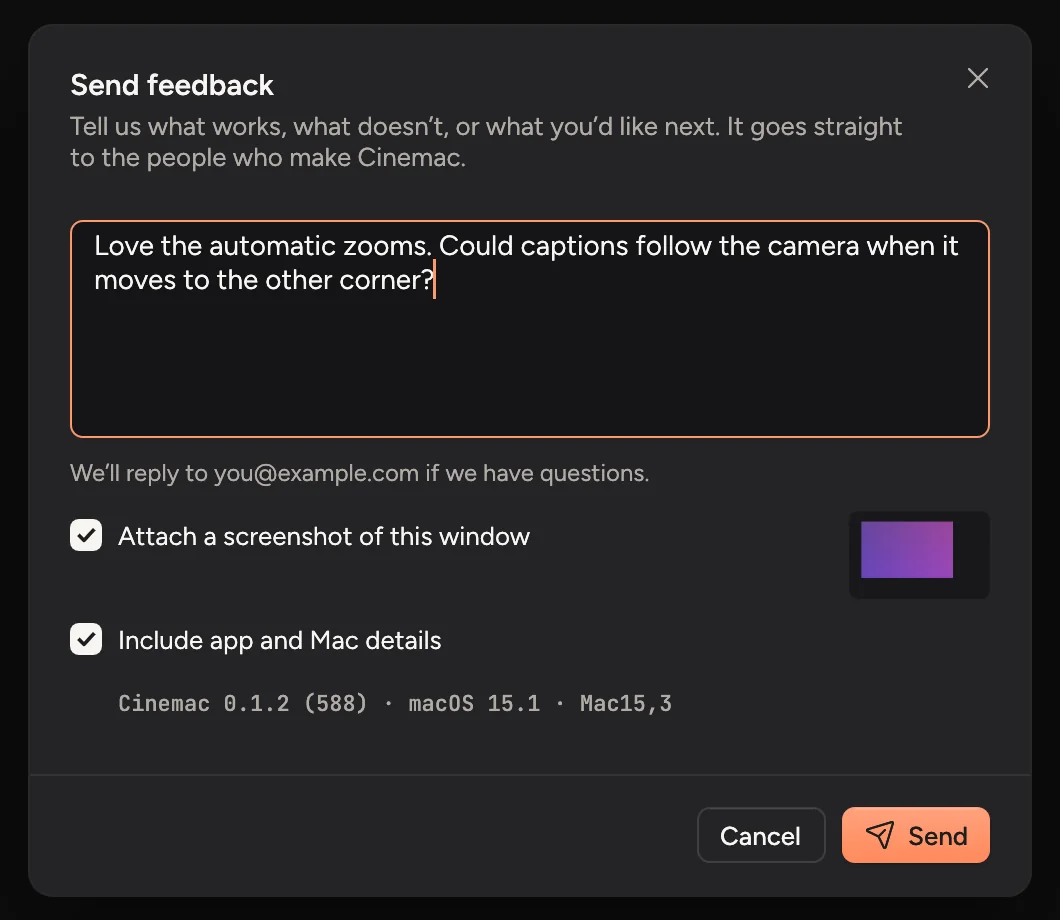
- Attach a screenshot of this window sends a picture of the Cinemac window as it was when you opened the sheet. Turn it off if something private is on screen.
- Include app and Mac details sends your Cinemac version, macOS version, Mac model and plan, so you don't have to look them up. If Cinemac ran into a problem recently, a short note of what went wrong goes along too, so we can find and fix it.
- When you're signed in, we can reply to your account's email. Signed out, you can add an address if you'd like an answer.
What you typed is kept if you close the sheet without sending.
Email us
Write to support@cinemac.app. It helps to include:
- your Cinemac version, from Settings › About,
- your macOS version, from Apple menu › About This Mac,
- what you did, what you expected, and what happened instead,
- a screenshot or a short screen recording, if you can.
Sharing a project
If we ask for your project, right-click it in Projects… and choose Copy as ZIP. That makes one file with the recording and your edit, ready to attach. Only send it if you're happy for us to see the recording.