Start and stop from anywhere
Press ⌥⇧⌘2 in any app to start recording with your last choices. Press it again to stop and open the editor.
You don't need the recorder window to record. Cinemac remembers what you recorded last time (the display, window or area, and your microphone and camera) and starts with those.
The global shortcuts
| Action | Keys |
|---|---|
| Start / stop recordingStarts with your last choices, or stops and opens the editor. | ⌥⇧⌘2 |
| Pause / resumePauses the recording; press again to continue. | ⌥⇧⌘P |
| Add markerFlags this moment so you can find it in the editor. | ⌥⇧⌘M |
| Restart takeThrows the current take away and records it again (after the countdown). | ⌥⇧⌘R |
| Cancel recordingAsks to throw the recording away; press again to confirm. | ⌥⇧⌘⌫ |
| Notes back a lineMoves your speaker notes back one line, for when they got ahead of you. | ⌥⇧⌘↑ |
| Notes forward a lineMoves your speaker notes on one line. With Follow my voice, it learns your pace. | ⌥⇧⌘↓ |
All of them work in every app. Only Start / stop recording works when you're not recording. The two notes keys only work while your speaker notes show.
Change a shortcut
- Click the Cinemac icon in the menu bar, then Settings…, then Shortcuts.
- Click the shortcut you want to change, then press the new keys. Press ⌫ to clear it.
- Click the arrow next to a shortcut to set it back to the default.
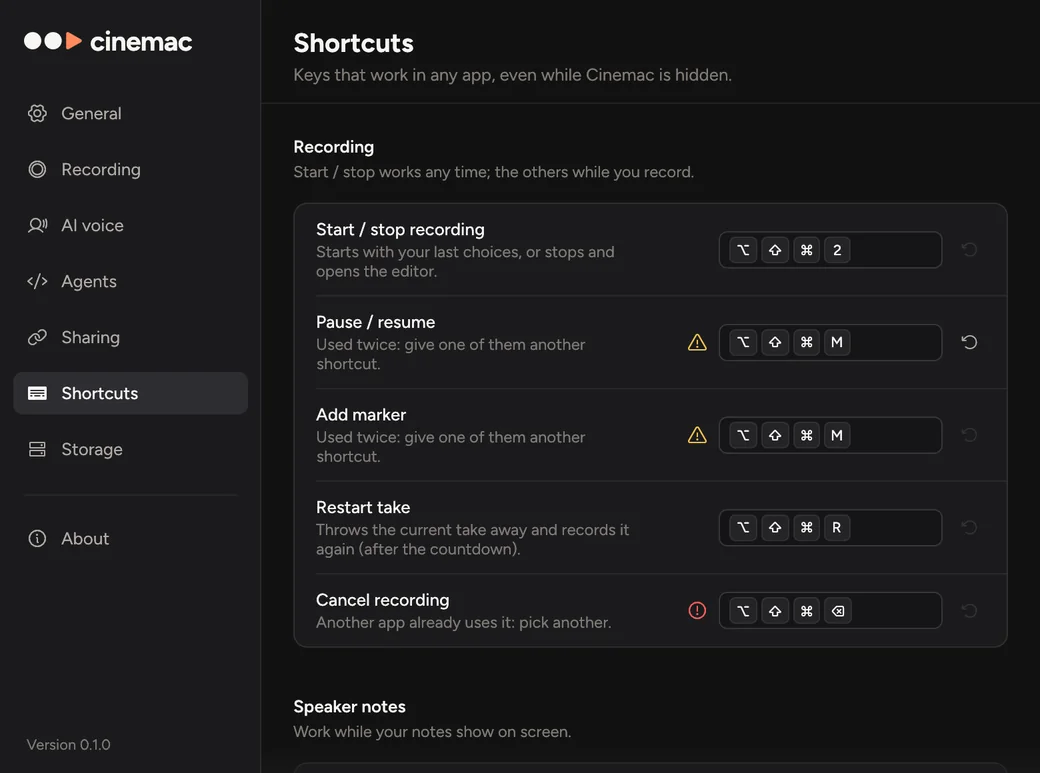
A label shows next to a shortcut that won't work well:
- Used twice means two Cinemac shortcuts share the same keys.
- Taken by another app means macOS or another app already uses them. Pick different keys.
Shortcuts need at least one of ⌘, ⌥ or ⌃, so they don't get in the way when you type.
The countdown
Cinemac counts down before it records, so you have time to get ready. Set it to Off, 3 s, 5 s or 10 s in the recorder, or in Settings › Recording.
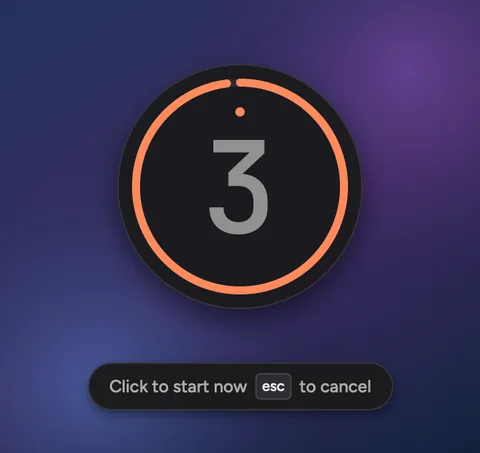
During the countdown, click to start straight away, or press esc to cancel.